
 Επικοινωνία
 Πώς να κάνετε αγορές;

Παράδοση
Οδηγός αγορών
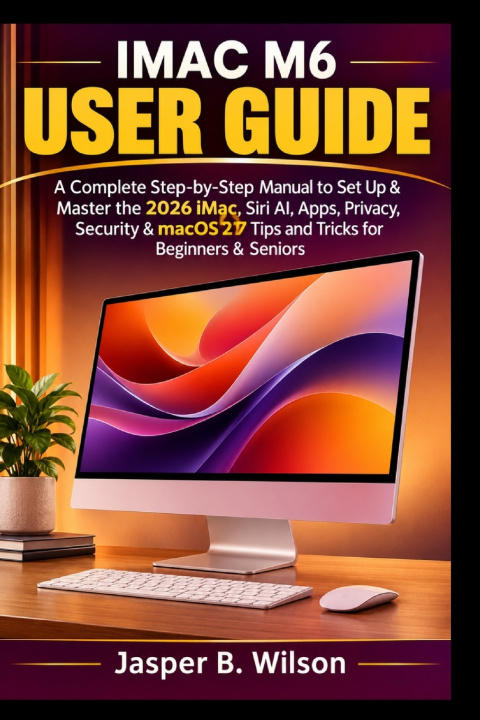
IMAC M6 USER GUIDE
A Complete Step-by-Step Manual to Set Up & Master the 2026 iMac, Siri AI, Apps, Privacy, Security & macOS 27 Tips and Tricks for Beginners & Seniors
 Αγγλική
 50 b
 Νέα
 Παράδοση μέχρι τα Χριστούγεννα ▾
Σε εξωτερική αποθήκη
Αποστέλλουμε σε 9-13 ημέρες
 Παράδοση στην Ελλάδα
Έως 30 ημέρες για επιστροφή

Have you recently purchased the 2026 iMac with the M6 chip and want to learn how to use it with confidence? Are you unsure how to set it up, transfer your files, manage your apps, use Siri AI, or get the most out of macOS 27?
Getting started with a new computer can feel overwhelming, especially when you're unfamiliar with its settings, features, and tools. But you don't need to be a computer expert to enjoy your iMac. With clear, step-by-step instructions, this guide helps you understand your computer, perform everyday tasks, and explore its powerful features at your own pace.
iMac M6 User Guide is designed especially for beginners and seniors who want a simple, practical way to set up, use, and master their new iMac. Whether this is your first Mac or you're upgrading from an older computer, this manual walks you through the essential steps without unnecessary technical language.
Inside This Guide, You'll Discover How To:
- Set up your new iMac, connect to the internet, create an Apple Account, and configure iCloud.
- Understand the M6 chip, its performance capabilities, display, connectivity, and other important features.
- Transfer your documents, apps, user accounts, and settings from an older Mac, Windows PC, or Time Machine backup.
- Connect accessories, printers, AirPods, additional displays, and other hardware.
- Personalize your Mac by changing settings, wallpapers, widgets, Focus modes, and user accounts.
- Create, edit, organize, save, and manage documents, files, and folders.
- Back up important information and restore files using Time Machine.
- Use Siri AI, Apple Intelligence, and ChatGPT to ask questions, write, proofread, summarize text, and understand what's on your screen.
- Manage contacts, organize personal information, and keep your contact details up to date.
- Browse the internet with Safari, manage tabs and bookmarks, download files, translate webpages, and browse privately.
- Restart, shut down, update, reinstall, or reset your Mac when necessary.
Discover how to use Siri AI to find information, get help with everyday tasks, improve your writing, and interact with content displayed on your screen. You'll also learn how to use Visual Intelligence, explore the dedicated Siri app, and make better use of the features available in macOS 27 Golden Gate. You don't need previous Mac experience to follow this book. The instructions are organized into manageable steps to help you learn at a comfortable pace. You can follow the chapters from beginning to end or turn to a particular topic whenever you need help.
Whether you want to work with documents, browse the web, organize your files, connect accessories, or understand the latest AI features, this guide gives you practical instructions to help you get more from your computer.
Get started with your iMac today and enjoy a more confident, productive, and rewarding Mac experience!


Πληροφορίες για το βιβλίο
Αγγλική

Χαρίστε αυτό το βιβλίο σήμερα
Είναι εύκολο
1 Προσθέστε το βιβλίο στο καλάθι σας και επιλέξτε παράδοση ως δώρο 2 Ως ανταμοιβή θα σας στείλουμε ένα κουπόνι 3 Το βιβλίο θα φτάσει στη διεύθυνση του παραλήπτηΓεια σας! Είμαι ο Libroamiko, ο σύμβουλος βιβλίων σας.
Πώς μπορώ να σας βοηθήσω;